 Code Browser
 News Feed
Features
Read-Oriented
This editor is more oriented to read code rather than to write code. Features such as Explicit Folding, Multiple Outlining Methods or Elastic Tabstops with Proportional Fonts are specially intended to help readability.
If you're looking for an editor with heavy support of templates and other coding assistant to write lot of boilerplate code, this is not the right tool.
Explicit Folding
Code Browser transforms any text file into a hierarchy of sections and sub-sections. You can group, categorize or classify any lines of code, it gives a better overview of the code.
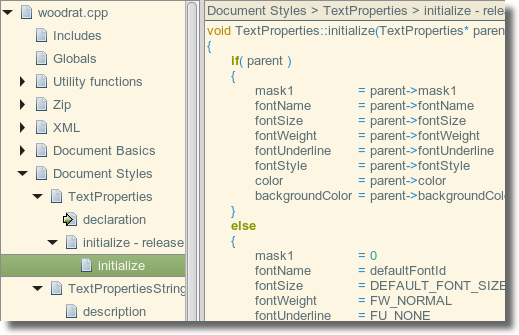
See Introduction to Code Folding for more information.
Links
Links are a natural extensions to folding: a link is like a section except that it points to a remote section, either in the same file or in another file.
Multiple Outlining Methods
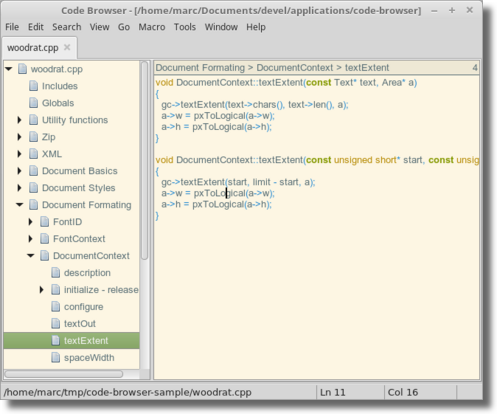
As a text file becomes a hierarchy of sections, there are several outlining and navigation methods
Tree
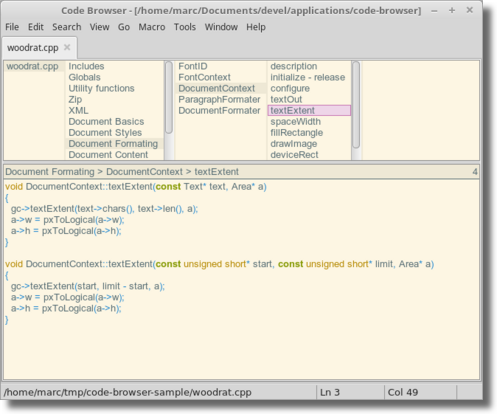
Smalltalk Style
This is similar to the tree view, but each level is displayed in a list.
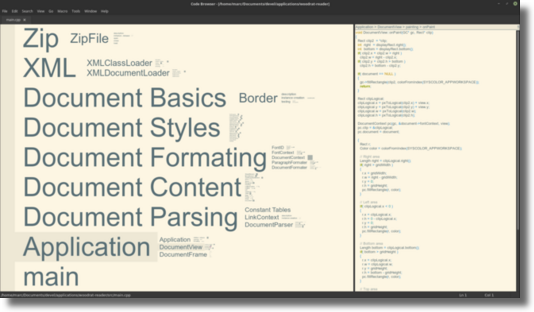
Zoomable Interface
This view shows a 2D map of the sections.
Fuzzy Search of Sections
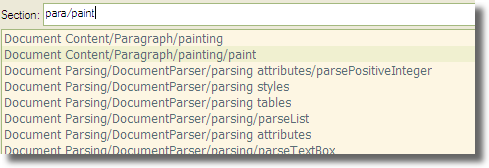
With a document becoming a hierarchy of section, each having a title, it becomes handy to quickly jump to a section just by typing some letters of the path.
Special comments
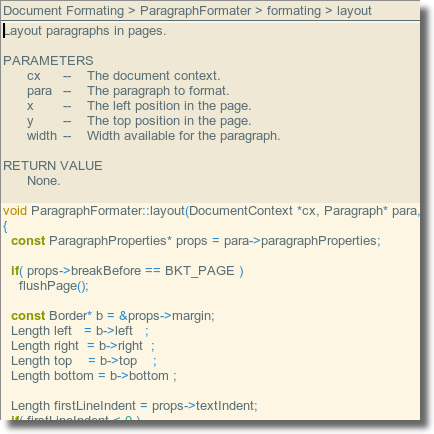
Special comments are just comments rendered without the comment markers of the language but with a different style. It brings a more literate programming look to the source code.
Find and Replace
It applies to file, directories or projects. It has support for simple regular expressions.
In addition to the classical options, it includes specific options related to the folding and link system:
- An option to follow links.
- An option to restrict search to a given section.
The search result is presented in a structured way corresponding to the structure of documents.
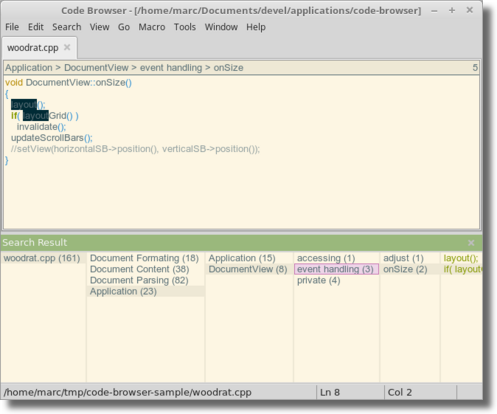
It is possible to search and replace in multiple files. Replacements won't be automatically saved, each change can be inspected before saving.
Elastic Tabstops
A correct implementation that helps aligning text even with proportional fonts.
Multi-view
Windows are juste 'views' on files. Multiple windows can be opened on the same file, and a window can go from files to files by following links.
Fuzzy Search of Files
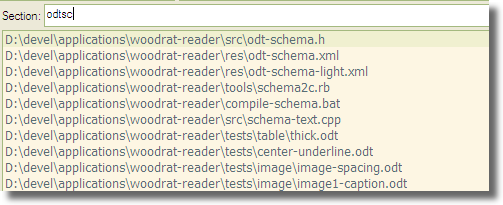
Same as fuzzy search for sections, but for the files of a project: just type some letters of the filename.
Macros
Quickly record a sequence of commands and replay them.
Scripting
A small scripting language allows to write custom functions.
Syntax Highlighting
Code Browser has basic syntax highlighting for most common languages. The goal is to help catching immediately typos such as mispelled keywords, missing quote when closing a string or a comment.