 Code Browser
 News Feed
Taking Advantage of Folding
The Poor Man's Outliner
The editor can be used as a plain text outliner. Simply create a new file with the '.txt' extension, and choose the tree view layout. To create a new section, use the Insert/Section command.
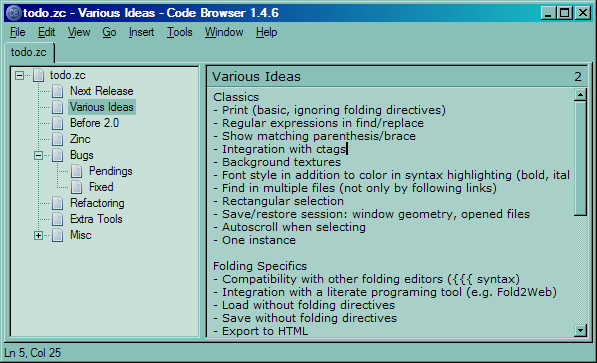
My todo list
Editing XML or TeX documents
Fold chapters, sections and subsections. You can browse quickly your document, you don't need to cut a document into small files anymore. You can choose arbitrarily which level are to be folded.
There is an extra cost to maintain headings but it worth it, you can find quickly a section and you only see the content of one section.
Here is an example with the docbook source of the documentation of Code Browser:
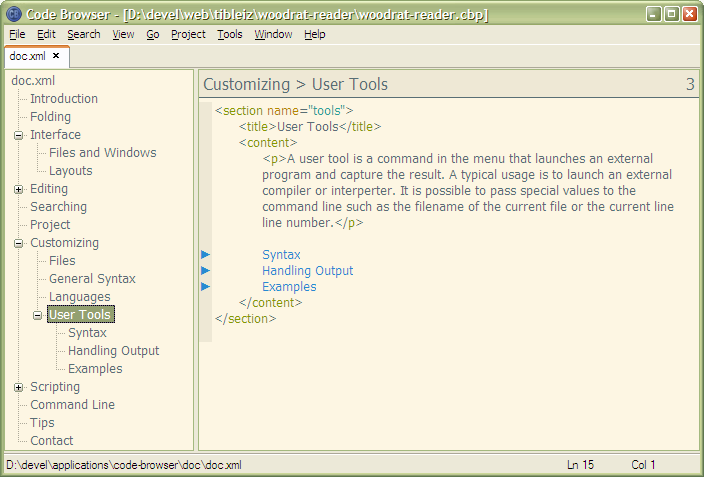
You can easily create the same hierarchy...
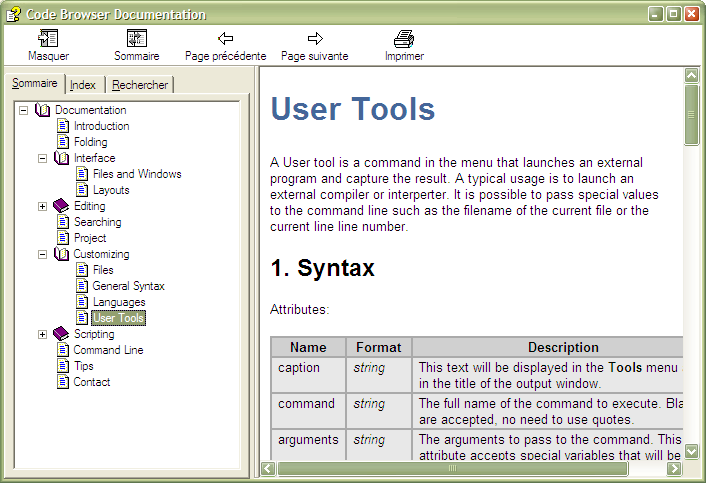
...as in the final document
Understanding existing source code
Code Browser can help you to understand existing source code.
There is a lot of tools dedicated to program understanding that will do the job better than Code Browser, but if the source code is written in a too obscure language or too old, it can be a cheap alternative.
Here is some tips to make more sense of a flat text file by extracting a structure and reducing its apparent complexity:
- Folding methods/functions
- Hiding local functions
Most languages does not support nested functions. With Code Browser you can move sub-fonctions used by only one caller into the caller's section. This step reduces the number of functions at the top level.
- Grouping functions
Grouping functions help locating them. I usually use a convention inspired by the Smalltalk Common Protocol Patterns to group my methods even when programming in C++. But you can decide the best way to group methods depending on the situation.